
DREAM11 / TASK GUIDE
Dream11 App Download: Check Android, iPhone and Install Help
To find Dream11 for an Indian Android phone or iPhone, follow the distribution links associated with Sporta. This guide compares the observed Play and Apple references, explains device and update checks, and separates an installation problem from a later account problem. Store details retain their recorded dates; no installation or independent APK inspection was completed.

Dream11 app download: begin with the publisher-linked store item
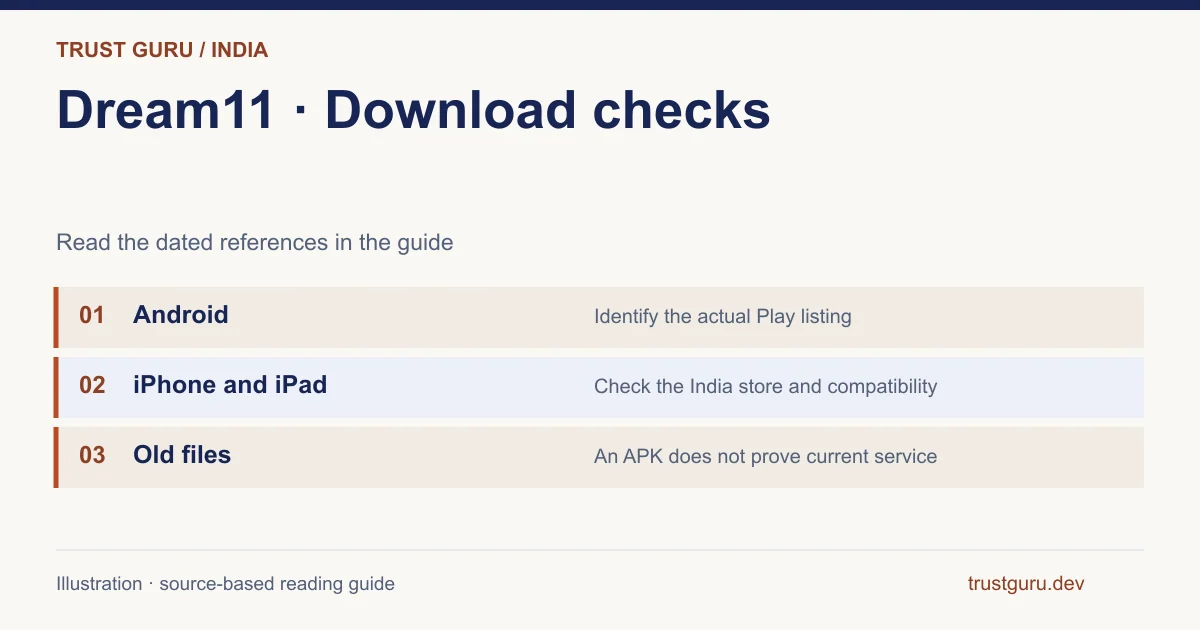
The reviewed Dream11 distribution chain names Sporta and identifies separate Android and Indian iPhone store items. A COME record, an older APK filename or a partner button does not by itself establish a Dream11 update. Match the publisher, item and device requirements; use the login guide if installation succeeds but account access fails.
Brand identification
- Brand
- Dream11
- Domain reference
dream11.com- Entity reference
- Dream11 / Dream Sports
- Scope
- Current product references
Identity information does not establish that every feature is available to every reader.
Android download: identify the Play item first
Use the Android package identifier to resolve the store title. The homepage-linked item was com.dream11.fantasy.cricket.football.kabaddi, from Sporta Technologies Private Limited. Its hl=en_IN view showed Dream11: Sports Watch Along and the explicit gl=IN view showed Dream11. Both pointed to the same package and publisher. Public metadata recorded version 7.10.3, Android 7.0 minimum and an update date of 28 September 2026. These observations identify the checked listing, without verifying installation on a particular phone.
- Follow Dream11’s own Play reference and compare its developer and package. Advertisements and COME catalogue entries nearby do not inherit that publisher-linked distribution relationship.
- Interpret the store control for your device and Google Account: acquisition uses Install, replacement uses Update and launching uses Open. Retain the precise message if the expected option is missing.
- Once launch succeeds, number verification and account-status errors belong to the account-help task. Another copy of the installer does not demonstrate a remedy for that later-stage problem.
iPhone and iPad: India listing and compatibility
Apple India item 1077286074 named SPORTA TECHNOLOGIES PRIVATE LIMITED and bundle com.dream11.dream11app. The 30 October record showed Dream11: Watch. Play. Compete., version 7.10.3, release date 30 September 2026, iOS 15.1 minimum and English. Its 134,764,544-byte figure describes the listed download, not total occupied storage after media and cache. Android files cannot replace this iOS release. Apple’s download guidance separately discusses manual updates, download priority, restarting and billing-verification messages, including possible payment-method requirements for free items.
APK, old version and update questions
The verified answer to a latest-version query is the version observed in the identified channel, not a universal release guarantee. Both checked stores reported 7.10.3, but Android and iOS remain distinct software. No publisher-linked direct APK or trusted old-version archive was established. For a Play installation, Google documents Manage apps & device, Updates available and Update; the account’s actual listing decides what is offered. An older client cannot establish restoration of discontinued prizes or prove server-side feature availability.
Can Dream11 be downloaded for a PC?
No separate Windows installer, macOS application or supported emulator procedure was established by the reviewed mobile distribution links. Reading the website on a computer proves access to that page alone. If the task is reading rules, use the public document; if it is watching or participating, identify the feature’s stated supported route. Renaming an APK or following an unrelated emulator tutorial supplies no evidence of a publisher-supported desktop release.
Dream11 not installing or not updating
Locate the failure before changing settings: missing listing, incompatible-device message, interrupted transfer, installer rejection or failure after launch. Retain model, OS, channel, version, free storage and the exact message. The checked minima—Android 7.0 and iOS 15.1—are useful comparisons, not guarantees. Google’s store guidance discusses connectivity, storage, system updates, reopening Play, restarting and date/time. Those store-level checks do not diagnose a Dream11 OTP or missing account feature, and no universal repair was verified.
- For a missing or incompatible item, retain the store reference, phone model, OS version and eligibility notice. A listed minimum system is only one condition, without guaranteeing availability for all accounts or devices.
- For a pending transfer, inspect the store’s own ability to download and follow its connection and space guidance. A published App Store size is different from installed storage use.
- For a crash, empty screen or launch error after installation, retain the installed version and visible behaviour. This concerns startup, before any conclusion about an undelivered verification code.
- For verification requested after opening, record the exact account-stage notice and consult the login guide. The installer has reached a different stage from the account process.
Reinstalling, permissions and mobile-data use
A reinstall affects local software and may affect local preferences or downloaded material; its data-preservation behaviour was not tested. Identify the registered account contact before considering removal because the provider’s one-account and recovery rules remain separate. The privacy policy’s device, diagnostics and enabled-location provisions also require a different review from measuring mobile traffic. Uninstalling does not cancel a Play subscription, and Apple subscriptions have their own management route. Software removal likewise does not complete the provider’s data-deletion procedure.
Dream11 and COME APK are different records
COME catalogue pages using Dream11 wording require their own product and file checks. Their package claims do not become Sporta distribution evidence through a similar title. Start from the provider-linked store identifiers when your intended product is Dream11, then use the separate catalogue review only for the record it actually examines. No account portability, shared sign-in or common publisher is established by this naming overlap.
Download and installation questions with different answers
An iPhone requires the separately identified Apple item and its compatibility information; an Android APK is a different format. The Indian Play record reviewed here declares Android 7.0. A claim about Android 4.4 needs evidence for its older release and cannot silently become the requirement of the inspected item. Version 7.10.3 was observed in the reviewed Indian store records, without establishing the latest build in every channel.
The publisher-linked source chain identifies mobile stores. It did not establish an official Windows or Mac installer, an official emulator workflow or full desktop account functionality. A website opening on a PC answers only a narrower access question. Likewise, a failed transfer, Android rejection, login problem and unavailable service feature need evidence from their own stage. No download, installation, update or device session was completed by this review.
A missing store item and a refused update need different evidence
In this hypothetical device report, the reader cannot find the identified Sporta item in their store. No file has reached the handset, so there is no installation error to fix yet. Preserve the store country, device/OS and the exact listing address. The package and Apple item recorded above identify the documentary reference; their existence does not promise distribution to every device today.
If a later attempt obtains a file but Android refuses the update, the task changes. Keep the system message, existing package/version and distribution source. An older APK with a familiar name does not establish a supported update or repair a missing feature. Once the app opens and rejects login, use account help rather than repeating the transfer.
- Identify Sporta before selecting a file.
- Record the last completed stage.
- Use the task-specific help for the next failure.
| Observation in this illustration | Interpretation | Next action |
|---|---|---|
| Store item is absent | Acquisition has not occurred | Retain listing address, store region and device |
| Update is refused later | The installer has now reached another stage | Keep exact message and installed release |
| App opens but login fails | Launch and account access differ | Identify the registered contact and recovery route |
FOLLOW THE EVIDENCE
Sources and context
- Dream11 official termsReference check: 2026-10-31
- Dream11 official public terms contentReference check: 2026-10-31
- Dream Sports Dream11 product pivot 2026-08-27Reference check: 2026-10-31
- Dream11 — publisher website and store linksReference check: 2026-10-31
- Google Play — Dream11: Sports Watch AlongReference check: 2026-10-31
- App Store India — Dream11: Watch. Play. CompeteReference check: 2026-10-31
- Dream11 — Helpdesk and Profile & Verification helpReference check: 2026-10-31
- ComeAPK — source app directoryReference check: 2026-10-31
- Dream11 — published privacy policy and account deletionReference check: 2026-10-31
The date records a reference check. It is not a live service monitor.
Trust Guru is an independent information website. We are not the brands’ official website, do not accept bets and never ask for third-party passwords or access codes. Editorial policy ↗
18+ · ADVERTISEMENT · INDIA
Explore the partner option
Read the conditions on the external website.
We may receive a commission through this link.